Reauthorizing a Prescription with No Refills Remaining
When prescriptions require reauthorization, use a previous prescription to reauthorize a prescription in PharmaClik Rx:
- Select the Patient button to search for and select a patient.
- Select the Profile tab.
- Select the prescription(s) to be reauthorized.
- Select the Refill button.
- If the new prescription is written by a different doctor from the original prescription, change the doctor’s name by selecting the folder icon under Doctor section. For steps, see Changing the Doctor in Rx Detail
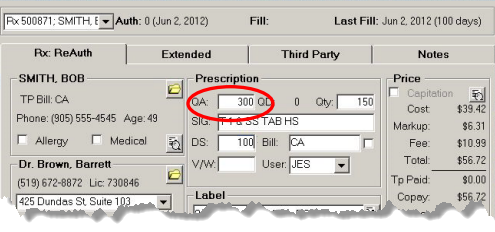
- In the QA field, type the quantity authorized.
- When finished reviewing the information in Rx Detail, select the Fill button.
Note: If you change the doctor name after typing the new QA, the quantity authorized will reset to zero (0).