Selecting Default Prescription and Label Settings
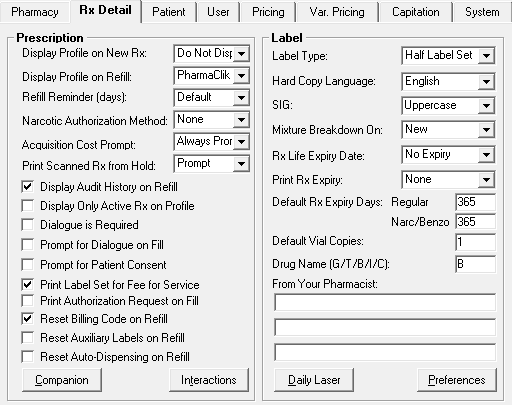
The settings on the Rx Detail tab (More > Pharmacy > Rx Detail) are used for all prescriptions. However, users can override some of these settings by creating their own settings. For more information, see Selecting Default User Settings.You can also override some of the pharmacy settings when filling a prescription.
- Select More > Pharmacy.
- Select the Rx Detail tab.
- Fill in the applicable fields. Click on a field on the image below to view its description.
- Select the Save button.
Other Helpful Topics